
Remote network monitoring and management application
Optimizing the experience of managing complex A/V networks for integrators and their clients.
Role
UX Designer and Researcher
Team
2 UX designers,/researchers, Solution Architect, Third-party Dev Team, Client product and sales team consultation
Tools
Figma, Genexus (Dev platform), Third-party API integrations
Overview
A/V integrators have unique monitoring and remediation challenges. The current software solutions tend to either offer too little features or are designed for a specific manufacturer's ecosystem. The client needed a new tool to offer their clients as part of a holistic solution for integrators managing a variety of organizations.
Goal
The primary objective of the project was to design and develop a device-agnostic solution that was scalable and easy to use. We leveraged third-party integrations, such as Domotz, as the engine for accessing device data on networks to more rapidly deliver our new UI. We also needed it to scale over time and chose Genexus as the implementation platform due to its inherent features, low code development workflow, and sustainable codebase as improvements roll out over time.
Interviews
Our approach was based on interviews with integrators and representational clients to really understand their needs and current pain points with other products on the market. Our objective was to identify all of the must haves for a new tool to drive adoption while capturing an overall wishlist of features that were not readily available in existing tools, especially in an all-in-one solution. We started with CX Home as the product for research and continued the thread into the broader CX Unify product.
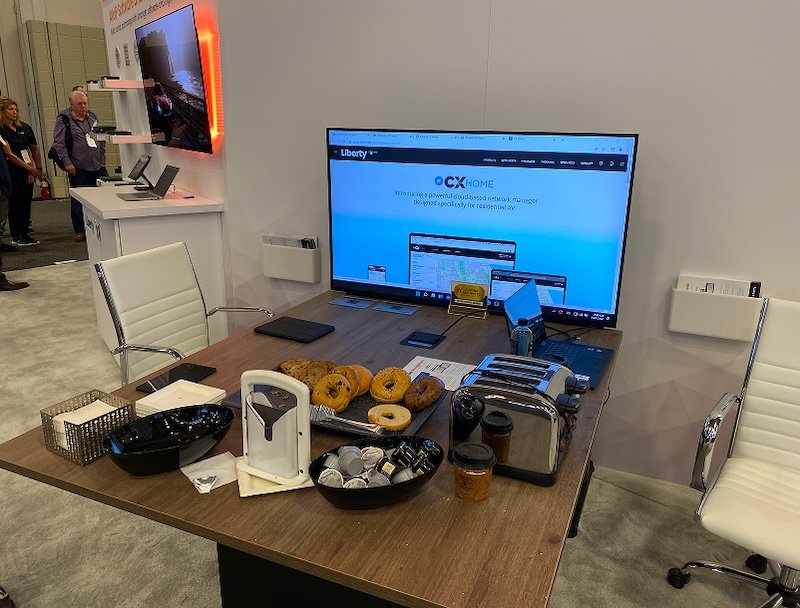
Demo setup at CEDIA to facilitate research and interviews
Findings
Most of the available tools fulfilled some of the needs. Integrators will use a mix of tools to facilitate their workflows, including monitoring apps, direct-connect device management tools, third-party ticketing systems, and basic reporting via Excel or PowerPoint.
Current systems also provided a lot of noise to integrators in alerts and emails that didn't always provide the necessary info or were too simple to take immediate action without greater investigation taking time away from other management responsibilities.
The more complex solutions available had much more complex interfaces that were not a easy to use across all of the roles leveraging the software.
History
The project started as an interface for what was being called CX Home, focused initially on the residential market and being developed by a third-party dev team. After about 1 year of design and development, and presenting the new software at CEDIA (national convention for the residential A/V industry), the client decided to pivot the target audience as the software was truly applicable to practically any market. CX Unify was born of this decision targeting large integrators managing various organizational and institutional clients. We took the learnings of CX Home, opted for a new development platform and Dev team, and began the process of creating a new UI and feature set with this new market in mind.
Wireframes
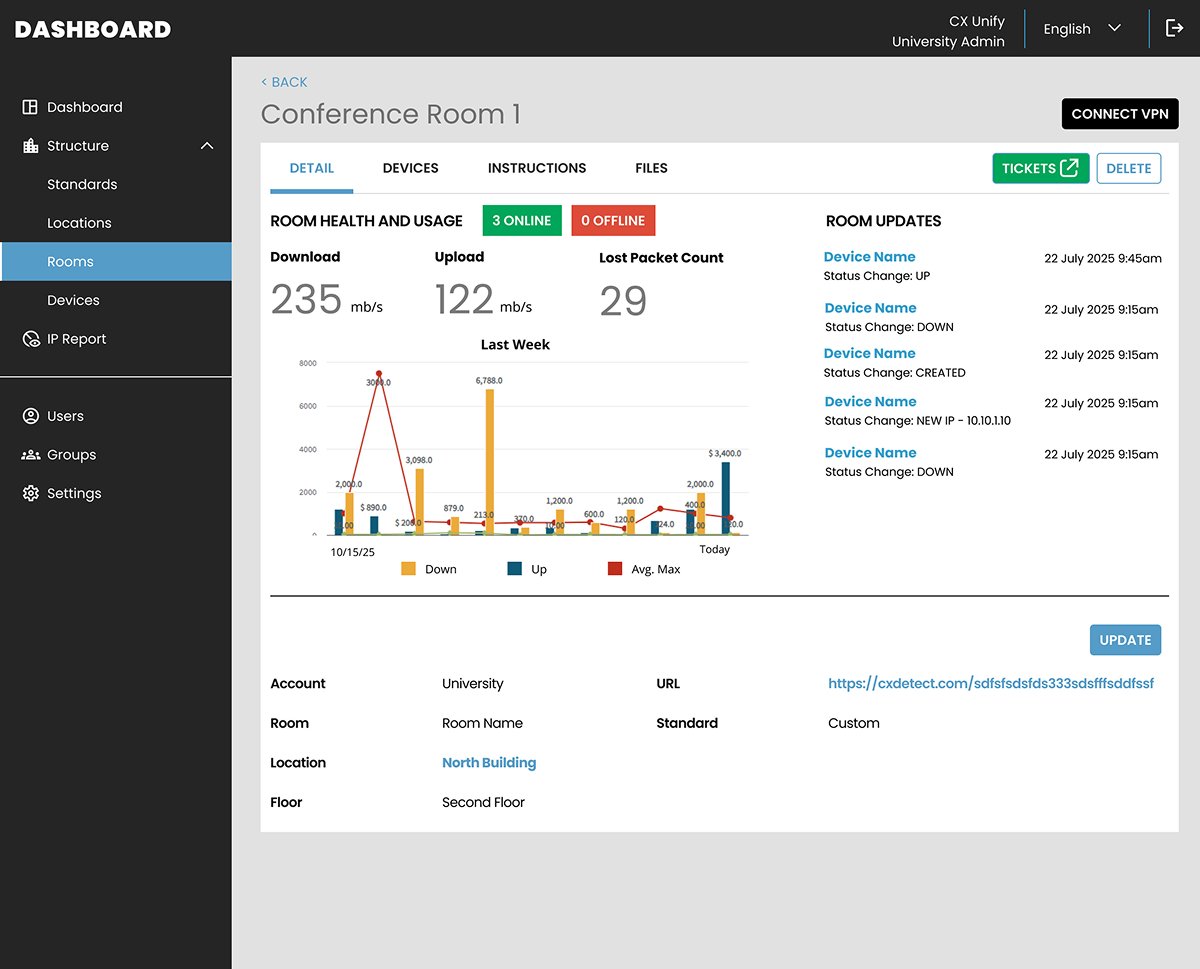
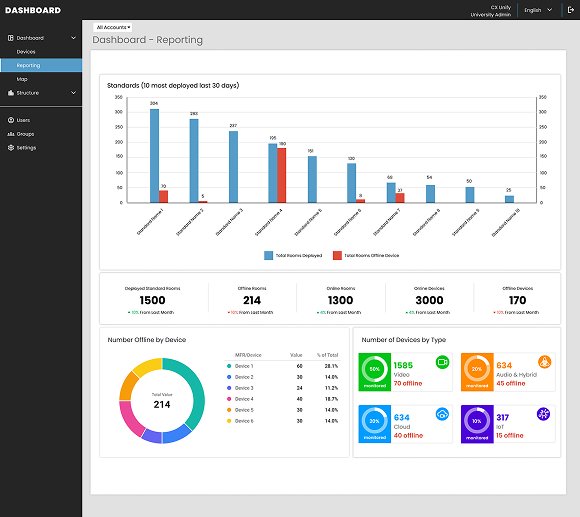
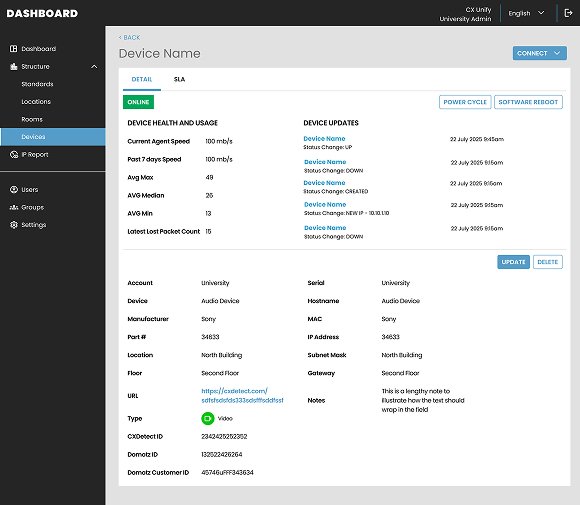
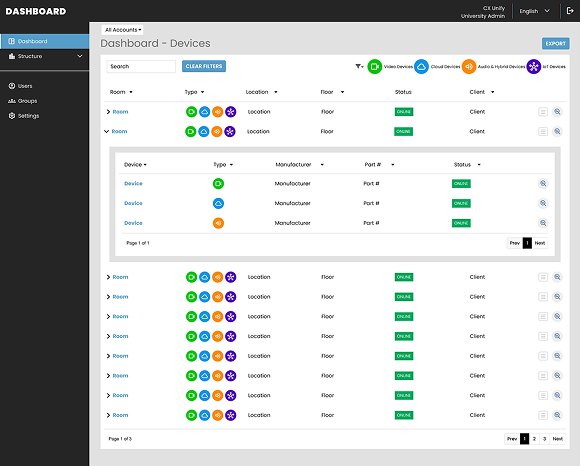
Using Figma, I began creating a set of rich wireframes for initial validation and testing with our partner integrators. These quickly became high-fidelity as a lot of the UI design was considered in the previous version and the development platform brought forth its own design conventions that we opted to leverage for more rapid deployment.
UI Design
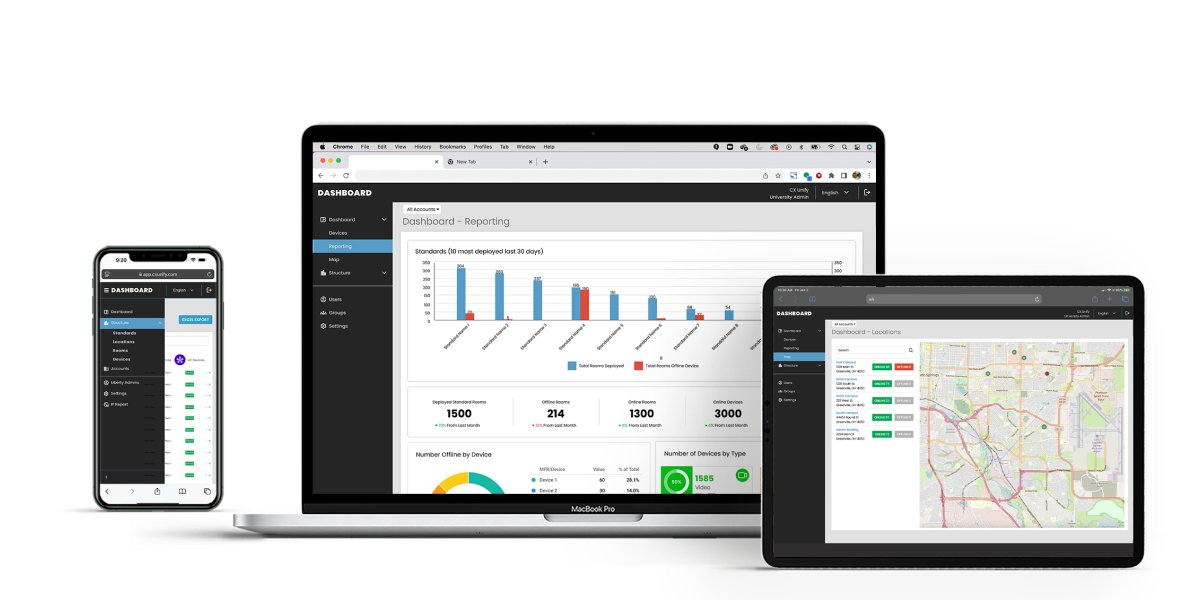
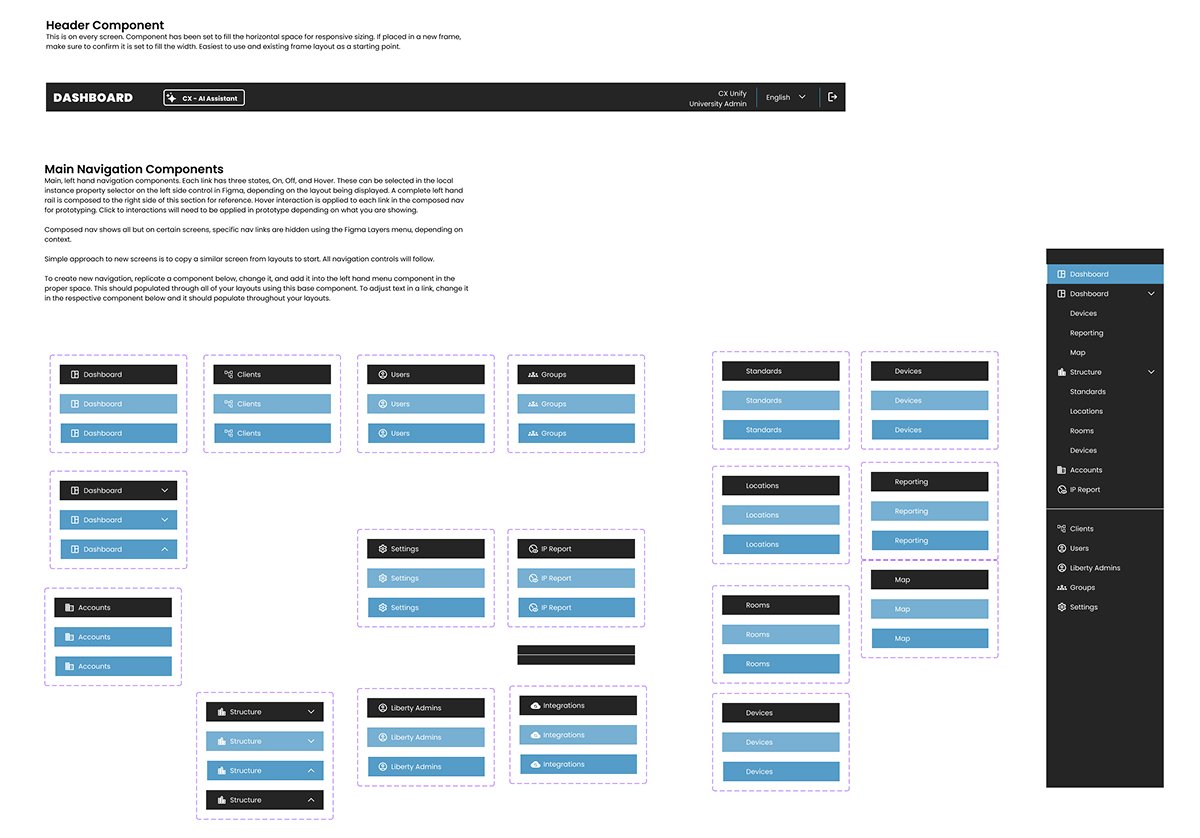
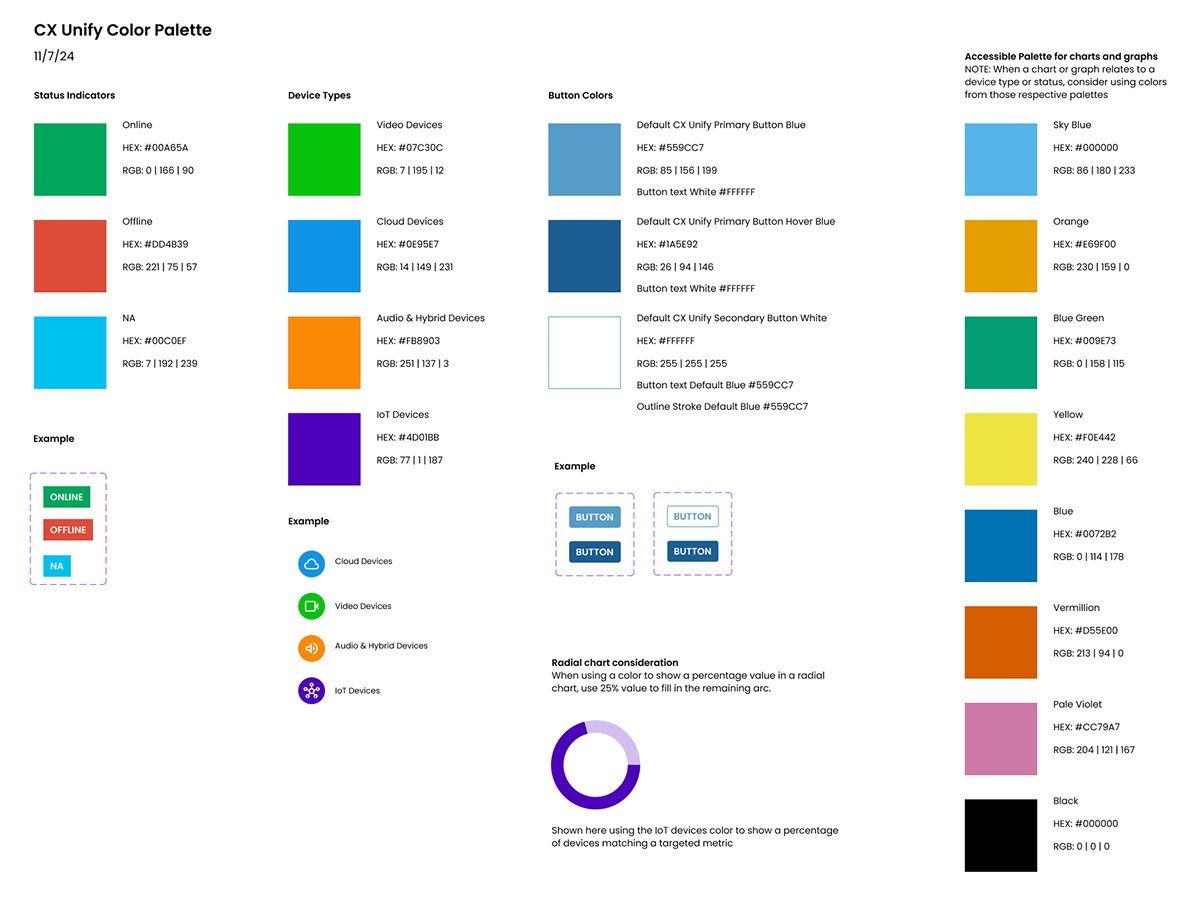
he overall design aesthetic was kept clean and simple to allow for potential white labeling and customization as we roll out the software to various integrator partners. Also, the Genexus platform again had certain conventions built in for navigation that we leveraged for easier development. My focus was on iterating through the many admin and management screens as a part of overall scoping for the development team and to get client buy in during weekly reviews. The design is responsive and primarily targeting desktop computers, but tablet and mobile are a consideration for field technicians to access the application as well.
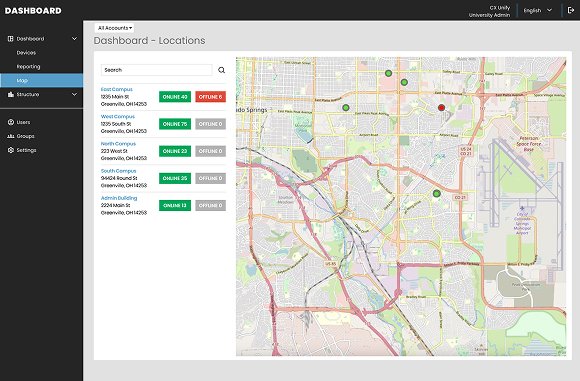
Most of the navigation is from our dashboard views allowing integrators to drill into locations, rooms, and devices as they get alerts and see conditions that require review. A simple table presentation is leveraged at the top level and across rooms and device listings. In addition to this, we implemented a geographical map interface, using Google Maps, to provide integrators a location-base view of their locations and offering status information base on each location. This was designed to assist in troubleshooting larger status issues that may be tied to a region, such as an internet or power outage.
Another pain point we are solving is in importing device data. Competing applications will just bring in everything they discover on a network. We saw how the overload was slowing integrators down. We designed an excel import feature for integrators to bring in only the devices they were tasked with monitoring in each room at each location. This provides more focus on what really matters to the integrators and their clients.